
What FROGGATE can do

Hundreds of features and ready-made tools we use to build every solution

Ready-made tools

Tools you can start using straight away

Packing station

Digitise your operations – whether you need to set up a brand-new workstation or simply digitise the one you already have.

  • Hardware we make ourselves
  • Shipping label printing
  • Barcode scanning
  • Photos of parcels and products
Packing station

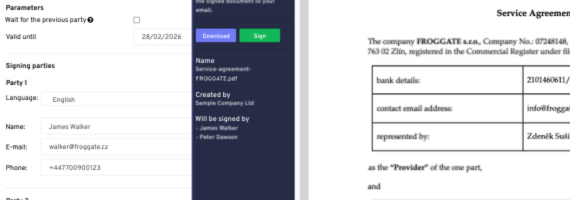
Online signatures

Sign documents electronically with full legal validity. Sign anywhere, on any device.

  • Legally valid electronic signatures
  • Signing on mobile and desktop
  • Document history and archive
  • Signature request notifications
Online signatures

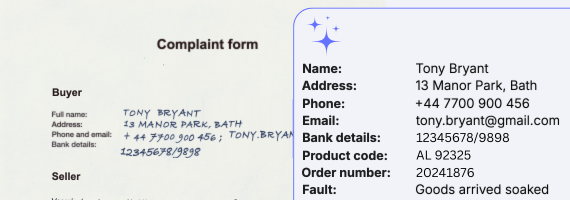
FROGGATE AI

A versatile tool you can switch on in any area of the system.

  • Text recognition in documents, with categorisation and classification
  • Invoice and order analysis
  • Searching the web for information
  • Image analysis
FROGGATE AI

Knowledge base

Helps you share important information with customers and colleagues.

  • Centralised documentation
  • Organised into sections and subsections
  • Full history of changes
  • Role-based permissions
Knowledge base

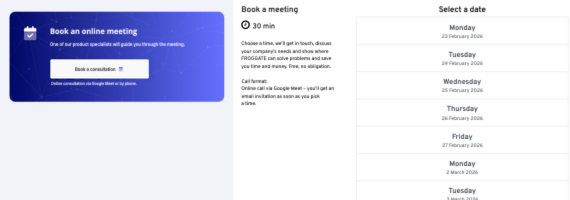
Booking system

Lets customers easily book meetings and services in the slots that are available.

  • Online booking of resources
  • Calendar overview
  • Email notifications
  • Booking can be embedded in your own website
Booking system

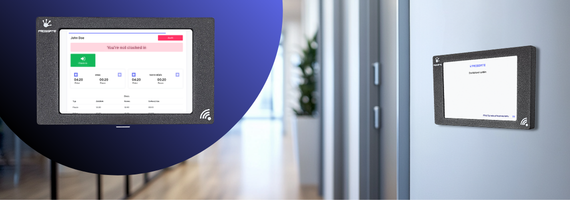
Attendance system

Attendance tracking with a physical device, QR codes and a mobile app.

  • Contactless QR code check-in
  • Mobile app
  • Real-time attendance records
  • Hours worked summarised automatically for payroll
Attendance system

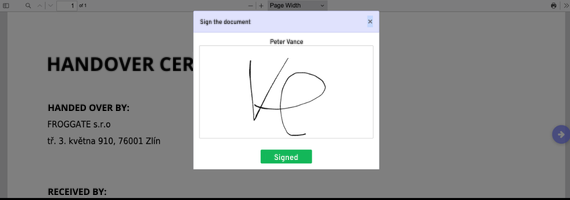
Tablet signatures

The recipient signs a handover form or any other document directly on a tablet – no printing, and always with up-to-date details.

  • Optional SMS authorisation
  • PDF document generated automatically for signing
  • Both the signed and the original document stored
  • A copy sent by email straight away
Tablet signatures

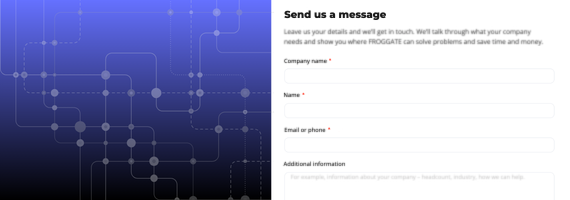
Contact form

Easy to add to your website. Visitors can get in touch with you conveniently, and you manage all messages in one place.

  • Embed it in your website or share it as a link
  • Field validation and spam protection
  • Automated scenarios based on the values entered
  • Notifications and assignment to the right colleague
Contact form

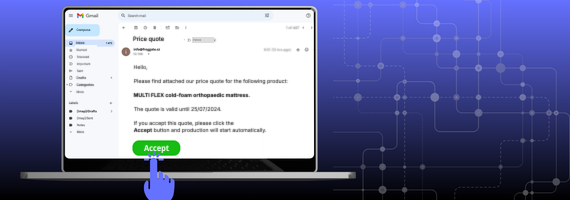
Action buttons in emails

Sending an email doesn’t have to be the end of the process. Action buttons let you follow up with the next step and ask a colleague or customer to respond.

  • Customer surveys
  • Booking confirmations
  • Confirming a proposed installation date
  • Asset handovers
Action buttons in emails

Features we build with

Building blocks for custom systems

Dashboards Key data at a glance
Charts Data visualisation
Kanban Tasks managed in columns
Tables Clear lists of data
Banners Important information at first sight
Counters Counts and metrics
Automated actions Tasks triggered automatically
Scenarios Complex workflow processes
AI analysis Text and image recognition
Scheduled jobs Actions run on a schedule
Synchronisation Connection to external systems
Webhooks Connection to external APIs
Bank transactions Automatic import of transactions
E-shop integration Connection to online shops
REST API Developer interface
Data import Loading data from files
Data export Exporting to files
Email Sending email messages
SMS Sending SMS notifications
Notifications Push notifications and in-app alerts
PDF Automatic PDF document generation
Invoices Generating and managing invoices
Labels Printing labels and tags
Contracts Contract generation
Barcodes Generating and scanning codes
Tasks Managing personal and shared tasks
Calendar Planning events
Approval process Approval workflows
Permissions Managing access rights
Record copying Creating records from ready-made templates
Import from email Creating records from incoming emails
Notifications to chat tools Sending messages to tools such as Slack and Teams when defined events occur
External content Showing data from other web sources, even without an API
Reports Regular reports generated and sent automatically
Meeting booking A public form for picking an available slot and making a booking
Attendance Attendance system with an overview of hours worked
Public forms Simple forms for collecting data straight from your website
Documentation Public or internal information pages
Public file link Sharing files via a link, with no login needed
Distance calculation Distance and driving time between two places calculated automatically
Online signature Signing documents and contracts electronically, without printing
Infinite whiteboard Company and personal boards where ideas turn into action plans
Mobile app Access the system from anywhere with the Android and iOS app
Action buttons in emails A button in an email moves the process to its next step and asks a colleague or customer to respond
Invoice data capture Details are read automatically from an uploaded PDF invoice

Built into the whole system

Features available everywhere in the system, whichever section you’re in.

Working with data

Features available on every record.

Feature Description
Notes Public or private notes
Discussions with colleagues Discuss things right on the record, without leaving the system
File management Store, preview and download files
Public files Generate a public link to a file, valid for a limited or unlimited time
Tagging For easier organisation and searching
Invitations Invite a colleague to a record even if they don’t have access to that section
Notifications Email alerts about important events
Change history Everything you edit is kept in an unlimited change history
Bulk delete Delete records in bulk in a few clicks
Bulk status change Change the status of records in bulk in a few clicks
Custom sorting Set your own default sorting for each table and status
Saved filters Name and save your favourite filters to use them again next time
Inline editing Edit values quickly by clicking into a cell, without opening the record
Filtering Filter by any parameter or combination of parameters
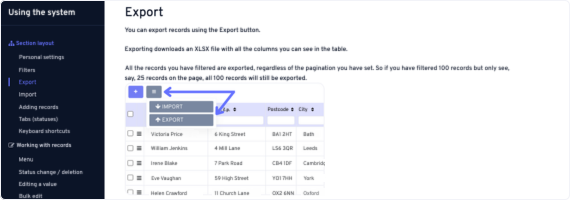
XLSX export Download table data as XLSX for backups or further processing
Bulk import Import from XLSX into a table
API Retrieve, create or update any record from your own system
Statuses Your own statuses to move records between
Public link to files Generate a password-protected public link for any stored file
Bulk file download Download all files from the selected records at once

Security

System security and permission options you can switch on.

Feature Description
Column permissions Control access to columns by role or user
Row permissions Control access to rows by role or user
Status permissions Control access to statuses by role or user
File permissions Files shown according to the permissions set for file categories
Users See straight away who performed each operation
Roles Create your own roles and assign permissions and users to them
Safe deletion Every item is first marked for deletion and only deleted after a delay
IP address restriction Got a company VPN? Secure your account so that no outsider can get in.
Two-factor authentication For maximum protection of user accounts
Autosave Anything you’re typing – a chat message, a note or text in a table – is always saved automatically

System

Features available across the whole system.

Feature Description
Switching between companies If you run several projects or companies, you can manage them all with one user account
Menu organisation Arrange the menu the way you like
Keyboard shortcuts All the key actions can be done with keyboard shortcuts
Central management of incoming and outgoing email Need to change the address your notifications go to? Do it in one place.

Didn’t find what you need?

We’ll design and build features tailored exactly to your needs